“Removing closed captions is the process of disabling or hiding on-screen subtitles that display dialogue or audio descriptions in videos.
Whether you’re watching movies, TV shows, streaming content, or editing your own videos, learning how to remove closed captions can create a cleaner viewing experience or ensure your content looks professional and distraction-free.
This guide covers step-by-step instructions for popular platforms, devices, and editing tools, along with creative tips, caption frameworks, engagement strategies, and even caption alternatives for social media posts.
If you’ve ever asked, ‘How do I remove closed captions?’ this article is your one-stop solution!”
Why You Might Want to Remove Closed Captions 🎥💡
Closed captions are useful for accessibility, but sometimes they can be distracting, take up screen space, or interfere with your video’s aesthetics. Removing them can:
-
Improve visual appeal 📺
-
Reduce on-screen clutter 🎨
-
Focus attention on visual storytelling 🌟
-
Ensure your video content looks clean for social media feeds 🖼️
How to Remove Closed Captions on Popular Streaming Platforms 📲
Netflix
-
Play your video.
-
Click the speech bubble icon.
-
Toggle “Off” under subtitles.
-
Enjoy distraction-free viewing 🎬✨
YouTube
-
Tap the CC icon on the player.
-
Click “Turn Off Captions.”
-
Shortcut: Press c on desktop. ✅
Hulu
-
Open the video player.
-
Click the settings gear ⚙️
-
Select “Captions” → “Off.”
Disney+
-
Click the audio & subtitles button.
-
Turn off “Subtitles.”
-
Confirm your selection ✔️
Amazon Prime Video
-
Play your movie/show.
-
Click “CC” or “Subtitles” icon.
-
Set to “Off.”
How to Remove Closed Captions on Devices 🖥️📱
-
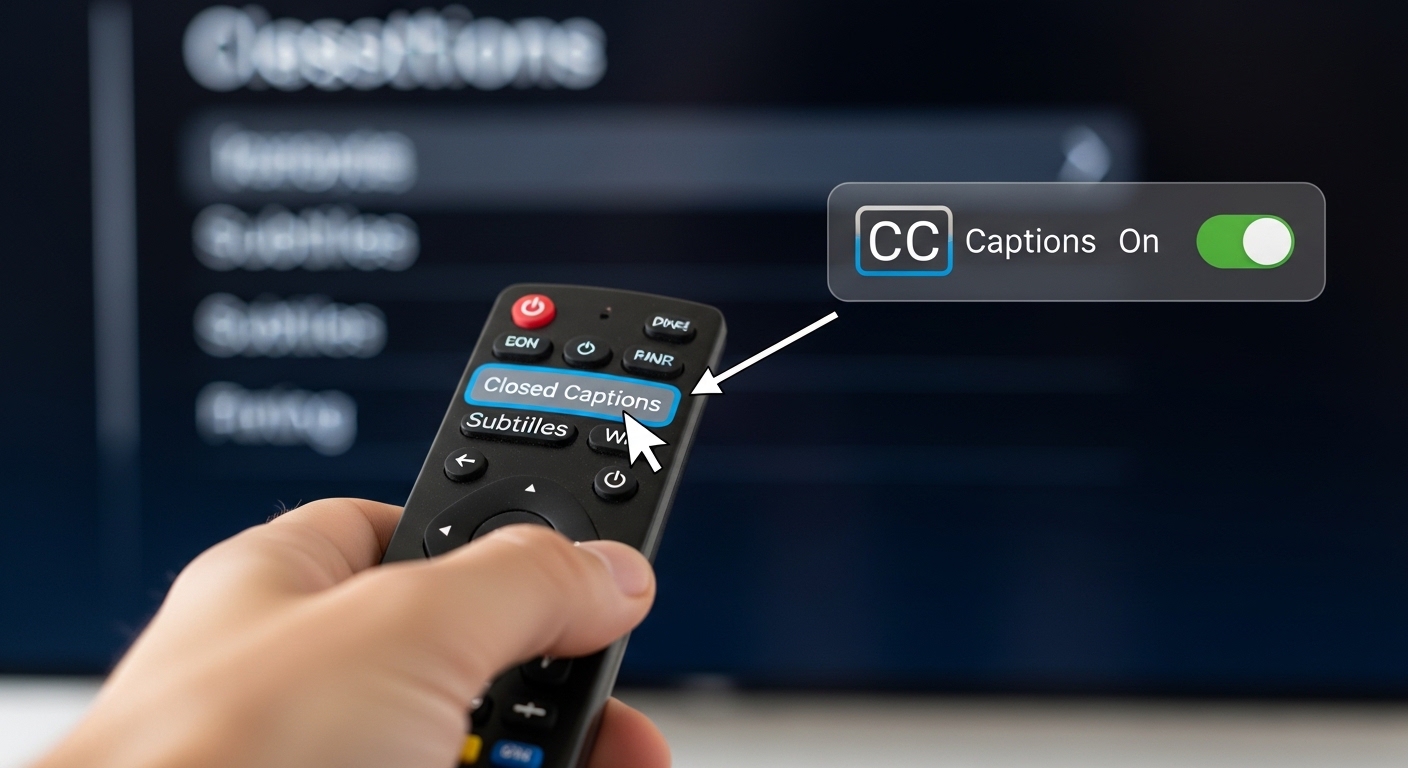
Smart TVs: Look for CC in your remote or accessibility settings.
-
iPhone/iPad: Settings → Accessibility → Subtitles & Captioning → Turn off.
-
Android Devices: Settings → Accessibility → Captions → Toggle off.
-
Windows: Control Panel → Ease of Access → Closed Captions → Turn Off.
Removing Closed Captions in Video Editing Software ✂️
Adobe Premiere Pro
-
Select your sequence.
-
Go to the “Captions” panel.
-
Delete or hide the caption track.
Final Cut Pro
-
Open project timeline.
-
Locate caption layers.
-
Disable or delete them.
iMovie
-
Select video clip → Titles.
-
Remove title text used for captions.
DaVinci Resolve
-
Open timeline → Subtitle track.
-
Right-click → Delete track.
Common Reasons People Struggle to Remove Captions 🤔
-
Hard-coded captions embedded in video
-
Default device or platform settings overriding changes
-
Multiple subtitle tracks causing confusion
-
Misunderstanding the difference between “Closed” and “Open” captions
Pro Tip: Only closed captions can be toggled off. Open captions require editing the video file itself. ✨
Emotional Psychology Behind Captions in Video Content ❤️
Captions aren’t just technical—they evoke emotions. They:
-
Enhance accessibility and inclusion 🌍
-
Reinforce emotional dialogue and connection 🥰
-
Influence attention span and engagement ⏳
-
Help viewers feel intimacy with on-screen characters 💑
Understanding this psychology can guide creators on when to keep captions, when to remove them, and how captions affect audience retention.
Caption Writing Framework for Social Media Engagement ✨
Even when you remove closed captions from your video, captions for posts are essential. Use the 3C framework:
-
Catchy: Hook your audience immediately.
-
Concise: Keep it short, clear, and scannable.
-
Conversational: Write as if you’re speaking to a friend.
Engagement Strategy Insights 💬
-
Use CTAs like “Tag your partner ❤️” or “Comment your favorite scene!”
-
Pair captions with emojis to boost emotional resonance
-
Alternate between short, cute, and deep captions
-
Consider platform nuances: Instagram prefers brief & visual; YouTube benefits from descriptive and SEO-friendly captions
Mistakes to Avoid When Removing Captions ❌
-
Confusing closed vs. open captions
-
Forgetting to adjust settings on multiple devices
-
Over-relying on default captions in video edits
-
Ignoring accessibility for viewers who need captions
Short & Cute Captions for Videos Without Closed Captions 🥰🎬
-
Less talk, more action 🎥✨
-
Just vibes 😎
-
Silence speaks louder 🖤
-
Mood captured 💫
-
No captions, just feels ❤️
-
Minimalist magic 🌙
-
Eyes only 👀
-
Pure visuals ✨
-
Watch & feel 💖
-
Storytelling without words 📽️
-
Calm & cozy 🕯️
-
Quiet moments 🌸
-
Video therapy 🛋️
-
Just us ❤️
-
Soft aesthetic 🌷
-
Let it flow 💨
-
No distractions 🌼
-
Pure cinematic ✨
-
Heartbeats only 💓
-
Just watch 🖤
Funny Captions for Videos Without Captions 😂🎬
-
Subtitles optional, laughter mandatory 😹
-
My face says it all 🤪
-
Who needs words? Not me! 🎉
-
Look, don’t read 👀
-
Captions off, fun on 🎈
-
Reading is overrated 📖❌
-
LOL guaranteed 😂
-
Silence = golden 💰
-
Actions speak louder 🤷♀️
-
No captions, no excuses 😎
-
Smiles included 😊
-
Watch responsibly 🍿
-
Eye-rolls not included 🙄
-
Funny vibes only 🎭
-
Plot twist ahead! 😱
-
Zero words, max chaos 🤣
-
Me in a nutshell 🥜
-
Subtitles not required 📵
-
Just wait for it ⏳
-
Laughter level: expert 😂
One-Word Captions for Maximum Minimalism ✨
-
Dreamy 🌙
-
Pure 💖
-
Chill 😎
-
Cozy 🕯️
-
Bliss 💫
-
Magic ✨
-
Mood 🌸
-
Vibes 🌊
-
Happy 😄
-
Forever ❤️
-
Wild 🌿
-
Soft 🕊️
-
Bright ☀️
-
Glow 🌟
-
Love 💌
-
Sunny 🌞
-
Calm 🌙
-
Fresh 🍃
-
Peace ✌️
-
Bold 💥
Seasonal & Occasion-Based Captions 🌸❄️🎃
Spring:
-
Blooming vibes 🌷
-
Fresh starts 🌱
-
Sunshine mood ☀️
-
Spring feels 💛
-
Flowers & smiles 🌸
Summer:
6. Sun-kissed ☀️
7. Beach days 🌊
8. Poolside vibes 🏖️
9. Endless summer 🌴
10. Ice cream mood 🍦
Autumn:
11. Cozy sweater 🍂
12. Pumpkin everything 🎃
13. Falling leaves 🍁
14. Autumn glow 🍁
15. Hot cocoa vibes ☕
Winter:
16. Snowy dreams ❄️
17. Warm & cozy 🕯️
18. Holiday magic 🎄
19. Frosty fun ⛄
20. Winter glow ✨
Platform-Specific Angles 📱
-
Short, flirty captions with emojis 💖
-
Use hashtags for discovery #NoCaptionsNeeded
YouTube
-
SEO-friendly captions for indexing
-
Descriptive for discoverability
TikTok
-
Quick, trendy, relatable captions
-
Max 2–3 lines for readability
-
Story-driven captions
-
Include engagement CTAs
Hashtags to Boost Visibility 🔥
#NoCaptions #VideoVibes #MinimalistVideo #VisualStorytelling #CleanScreen #ContentCreator #StreamingTips #SocialMediaHacks #VideoEditing #CinematicMoments #VibesOnly #LessIsMore
FAQ Section: Remove Closed Captions ❓
1. What are closed captions?
Closed captions are subtitles you can turn on/off, showing dialogue or audio descriptions.
2. How do I remove closed captions on YouTube?
Click the “CC” icon or press c on desktop to toggle captions off.
3. Can I remove captions permanently from a video?
Yes, by editing the video file in software like Premiere Pro, Final Cut Pro, or iMovie.
4. Why can’t I turn off captions on my TV?
Some TVs default to accessibility settings. Check your device’s CC or subtitle menu.
5. What’s the difference between open and closed captions?
Closed captions can be toggled on/off. Open captions are embedded permanently.
6. Will removing captions affect accessibility?
Yes. Always consider accessibility for hearing-impaired viewers.
7. Can captions be removed from streaming platforms?
Yes. Most platforms have a CC or subtitle toggle in the player.
8. How do captions affect viewer engagement?
Captions increase understanding and retention but can distract if overused.
9. Are captions necessary for social media videos?
For accessibility and attention, yes, but optional for clean aesthetic posts.
10. Can I use AI to remove captions automatically?
Some video editors and AI tools can detect and remove embedded captions efficiently.
Conclusion: Why Removing Closed Captions Matters 🌟❤️
Removing closed captions isn’t just a technical adjustment—it’s an art. It allows your video content to breathe, your visuals to shine, and your audience to focus entirely on the story you want to tell.
By understanding how to remove captions across platforms, devices, and editing tools, you’re empowering yourself to create professional, emotionally resonant, and shareable content.
Remember, even if you remove closed captions, thoughtful social media captions can boost engagement, emotional connection, and discoverability.
Whether it’s for streaming, editing, or sharing on Instagram, mastering the art of caption management ensures your content stands out while keeping your audience captivated.
So go ahead—toggle off those captions, embrace a cleaner visual world, and let your content speak for itself. ✨🎬💖

Expert USA writer known for unique captions, motivational quotes, and fresh social media ideas.